
Budget App — PocketGuard
PocketGuard, Inc.Finance
4.51.16K Reviews
- Version
- 5.19.3
- Installs
- 100.00K
- Age Rating
- Everyone
Screenshots
Our Review of Budget App — PocketGuard
 Analysis by Appyee
Managing money tends to get difficult in the gaps between the big expenses: a quick lunch, a subscription that renewed, or groceries bought before checking the balance. I like the idea behind PocketGuard・Budget Planner because it tries to turn those scattered details into a view of what is available to spend. It is a finance app from PocketGuard, Inc., aimed at people who want a practical spending overview rather than a spreadsheet they have to maintain by hand.
Where setup can get stuck
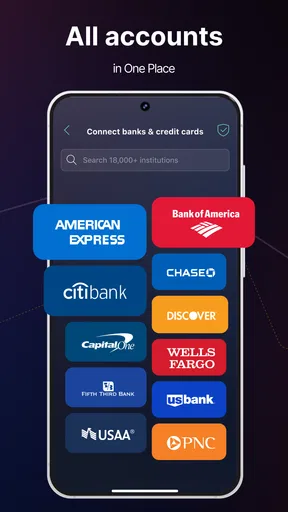
The most important early decision is whether you want to connect financial accounts or begin with a lighter budgeting routine. Connecting accounts can save time, but it also means the app’s usefulness depends on whether the institutions you use connect reliably and whether the imported activity makes sense to you. I would not plan a tight budget around a newly linked account until I had checked that the balances and recent transactions looked right.
If a connection does not work immediately, I would first check the basic things that are within your control: that you selected the correct institution, entered the requested sign-in details accurately, and have a stable connection. A failed connection is frustrating, but it does not necessarily mean anything is wrong with your bank account. If the app or institution asks you to verify access, follow the on-screen steps rather than repeatedly submitting the same details.
It is also worth deciding what you want the app to answer before you start. “Can I afford dinner out this week?” is easier to act on than “How do I fix my whole financial life?” I find a small, concrete goal makes the first setup less overwhelming: get a useful picture of recurring bills, or see whether everyday spending is crowding out savings.
Getting Started: Easy Peasy
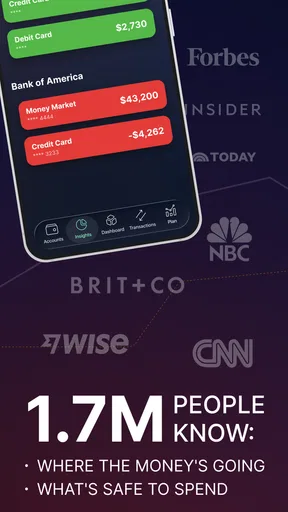
First off, downloading the app is straightforward. Just head over to the App Store or Google Play and install it in a jiffy. Once you’re in, PocketGuard・Budget Planner greets you with a clean, user-friendly interface. Setting up your account is a breeze—just connect your bank accounts and let the app work its magic. It automatically categorizes your spending, which is a huge time-saver.
Intuitive Design and Features
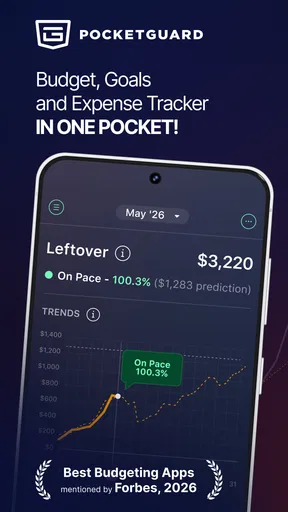
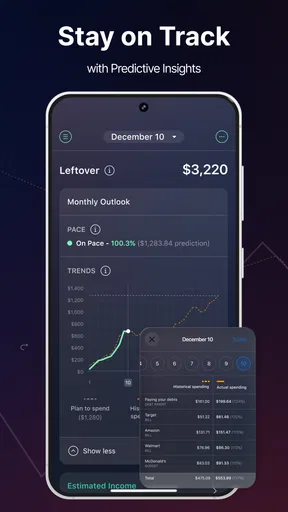
The app’s design is sleek and intuitive. The dashboard gives a clear snapshot of your financial situation, showing you exactly how much money you have left after bills and necessities. I particularly love the "In My Pocket" feature, which tells you how much disposable income you have. It’s like having your own financial advisor at your fingertips!
One of the standout features is its ability to track every little expense. Whether it’s that morning coffee or impulse online shopping spree, PocketGuard keeps tabs on it all, ensuring nothing slips through the cracks. It also offers suggestions on how to save more, which is perfect if you’re looking to tighten those purse strings.
Make the daily view work for you
A useful habit is to treat the available-to-spend figure as a guide, not permission to spend every dollar it shows. A bill may be due soon, a purchase may still be pending, or a transaction may be categorized in a way that does not match your personal budget. I would check the underlying activity before making a decision that depends on a precise balance, especially around payday or near a bill date.
For example, imagine I am choosing whether to order takeout late in the week. I can look at the remaining amount, then consider groceries already bought, an upcoming phone bill, and any cash purchases that are not reflected in the account activity. That quick check makes the overview more useful than simply glancing at a number. It also keeps a spending tool from becoming a source of false confidence.
Recovering when the numbers look wrong
If a transaction appears in an unexpected category, I would start by checking its description and date before changing my budget. A merchant name can be unfamiliar even when the charge is legitimate, and a transaction can take time to move from pending to completed. Looking at a short run of activity rather than reacting to one entry helps distinguish a one-off timing issue from a category that needs attention.
When the account total looks off, compare the app’s view with the financial institution’s own balance and consider whether pending activity or recent transfers explain the difference. If the mismatch persists, avoid making assumptions about available money until it is resolved. For a one-time purchase that matters, the bank’s current account view is the sensible final check; the budget app is best used to understand patterns and plan, not to replace the source account.
Security and practical boundaries
Security is always a big concern when dealing with financial apps, but PocketGuard has you covered. It uses bank-level encryption to ensure your information is safe and sound. Plus, it’s read-only, so there’s no need to worry about unauthorized transactions. Just sit back and let the app analyze your spending patterns.
Even with those protections, I would make a deliberate choice about linking accounts. Someone who prefers not to connect financial accounts, or who shares a device and wants to keep money details private, may be happier with a manual budget or a local spreadsheet. Read-only access can be reassuring because the app is not there to move money, but it does not remove the personal choice involved in sharing financial information with a budgeting service.
Customizable Spending Limits
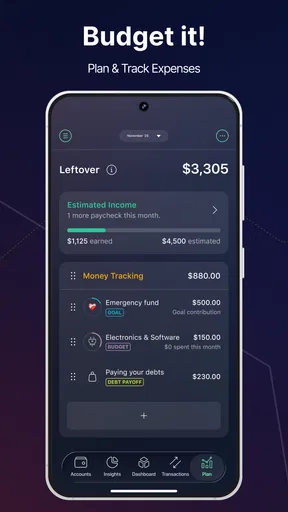
Another feature worth mentioning is the customizable spending limits. You can set budgets for different categories like groceries, dining out, and entertainment. The app sends you alerts when you’re nearing your limit, which is a gentle reminder to hold off on that extra latte.
Limits work best when they reflect your actual routine rather than an idealized version of it. I would set a reasonable target for a category, use it for a few weeks, and then adjust it based on what the spending really looks like. If groceries vary because of household size or shopping cycles, a rigid weekly figure may feel unfair; a monthly view may be more useful. The point is to notice a pattern early, not to treat every alert as a scolding.
Saving Goals: Make Them Happen
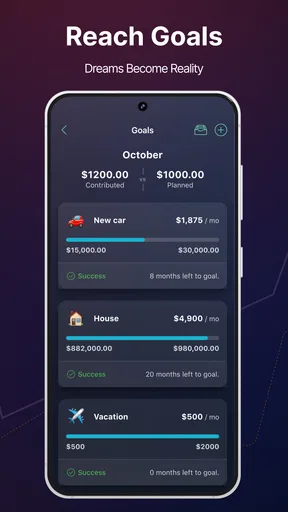
If you’ve got saving goals, PocketGuard helps you stay on track. You can set specific targets, whether it’s for a vacation, new gadget, or emergency fund, and the app will guide you on how to achieve them. It’s like having a little cheerleader in your pocket, motivating you to reach those financial milestones.
I would use a goal to make a trade-off visible, not as a promise that saving will happen automatically. If a month brings an irregular expense, the useful question is whether to slow the target or reduce flexible spending; pretending the original plan still fits can make a budget feel like a failure. A modest goal that survives ordinary surprises is more helpful than an ambitious one that has to be reset constantly.
Who will find it useful, and who may not
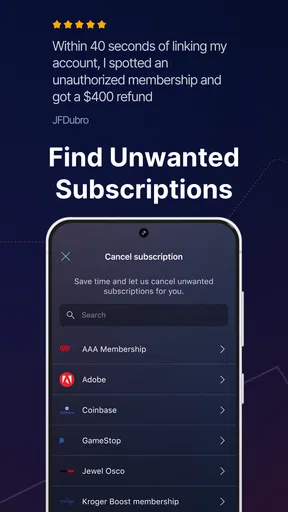
This approach suits someone with a few accounts and regular card spending who wants a quick sense of what remains after planned obligations. It can also help a person who is trying to identify subscription costs or rein in discretionary purchases, because seeing recurring commitments alongside daily activity makes the monthly picture easier to discuss and adjust. PocketGuard is free to start, and its finance listing shows a 4.2 average from around 2,800 ratings, with over 100,000 installs. It is rated for everyone, though the financial decisions and account details involved are naturally most relevant to adults managing their own money.
It is less suitable if you need a detailed accounting system, shared household approvals, business bookkeeping, or a budget built around cash envelopes and manual entries. A spreadsheet offers more control over formulas and custom categories; a traditional ledger can be better for people who do not want to link accounts. Those alternatives take more upkeep, but they can fit unusual income patterns or strict privacy preferences better. I would choose based on the routine I can sustain, not on which option sounds most comprehensive.
Free access, paid choices, and version details
The free version offers plenty of features to get you started, but if you’re looking for more detailed insights and customized reporting, the premium version might be worth considering. It’s a small investment for a more comprehensive view of your finances.
Before paying, I would spend enough time with the free experience to identify one specific limitation that a paid option would solve. The listed in-app purchases range from $0.99 to $149.99 per item, so “small investment” should not be assumed to describe every purchase. Check the current offer and its terms in the app before confirming anything. If the basic spending overview already answers your main question, there may be no reason to upgrade.
The app was released on March 16, 2016, and its current version is 5.18.4, with Android 8.0 as the minimum operating system. Those details are useful if you are checking compatibility on an older device. PocketGuard is also available on iOS, so the right download depends on which device you use; whichever version you choose, I would keep the app updated and make sure your operating system can run it.
When the app is not the cause
Budgeting tools can make a problem visible without causing it. A balance that seems low may reflect a bill, a delayed paycheck, a returned purchase, or spending that has gradually risen; the app cannot decide which explanation applies. I find it more productive to compare a few weeks of transactions and recurring commitments than to blame a single alert or assume the software has miscalculated.
If an alert arrives at an inconvenient time, use it as a prompt to review the category rather than an instruction to cancel a purchase automatically. Likewise, if your income is irregular, the same monthly target may not fit every month. In that situation, build decisions around confirmed income and near-term obligations, and treat a projected spending figure cautiously. A budget is a planning aid, not a substitute for judgment or financial advice tailored to complicated circumstances.
My practical verdict
So, what’s the verdict? If you’re looking for a hassle-free way to manage your money, PocketGuard・Budget Planner is definitely worth a try. Its intuitive design, robust features, and focus on security make it a powerful tool for anyone looking to get a grip on their finances. Give it a go, and you might just find yourself with a bit more cash "in your pocket" at the end of the month.
Happy budgeting!
Verdict
Strengths of Budget App — PocketGuard
- Simple and intuitive user interface
- Real-time tracking of expenses
- Customizable budget categories
- Seamless bank account integration
- Visual spending reports
Limitations of Budget App — PocketGuard
- Limited features in free version
- Sync issues with some banks
- Ads in free version can be distracting
- No investment tracking features
- Limited customer support options
Similar Picks in This Category
View All
Google Wallet
Google LLC4.3

Airtel: Recharge, Bank & Loans
Airtel4.0

PayPal - Pay, Send, Save
PayPal Mobile4.2

DANA Indonesia Digital Wallet
PT Espay Debit Indonesia Koe4.5

Binance: Buy Bitcoin & Crypto
Binance Inc.4.8

Cash App
Block, Inc.4.7
Frequently Asked Questions
What is PocketGuard and how does it work?
PocketGuard is a budgeting app designed to help users manage their personal finances by tracking spending, income, and savings. It connects to your bank accounts and provides a simplified view of your financial status. The app categorizes expenses, highlights spending patterns, and suggests ways to save money, making budgeting more intuitive and efficient.
Is PocketGuard safe to use with my bank account information?
Yes, PocketGuard employs advanced security measures to protect your financial data. It uses bank-level encryption and follows strict security protocols to ensure your information is safe. Additionally, it connects to your accounts in a read-only mode, meaning it cannot make changes or transactions, adding an extra layer of security.
Can PocketGuard handle multiple bank accounts and currencies?
PocketGuard supports multiple bank accounts, allowing users to track all their finances in one place. However, its functionality regarding multiple currencies might be limited, primarily focusing on the currency of the country you registered in. It’s best to check the app’s current capabilities regarding currency support before downloading.
Does PocketGuard offer any premium features, and are they worth it?
PocketGuard offers a Plus version with premium features such as custom categories, unlimited goals, and exporting data. These features can enhance your budgeting experience by providing more personalization and detailed insights. Whether they are worth it depends on your individual financial needs and how much value you place on these advanced capabilities.
How easy is it to set up and use PocketGuard for budgeting?
Setting up PocketGuard is straightforward. After downloading the app, you’ll need to connect your bank accounts which the app guides you through with simple instructions. The user interface is intuitive, making daily budgeting easy even for beginners. The app automatically categorizes transactions, giving you a quick overview of your spending habits and helping you make informed financial decisions.
